Household-aware records
Household grouping keeps related guest records together across invitations, passes, and seating while individual RSVP, meal, and arrival details remain separate.
Guest list
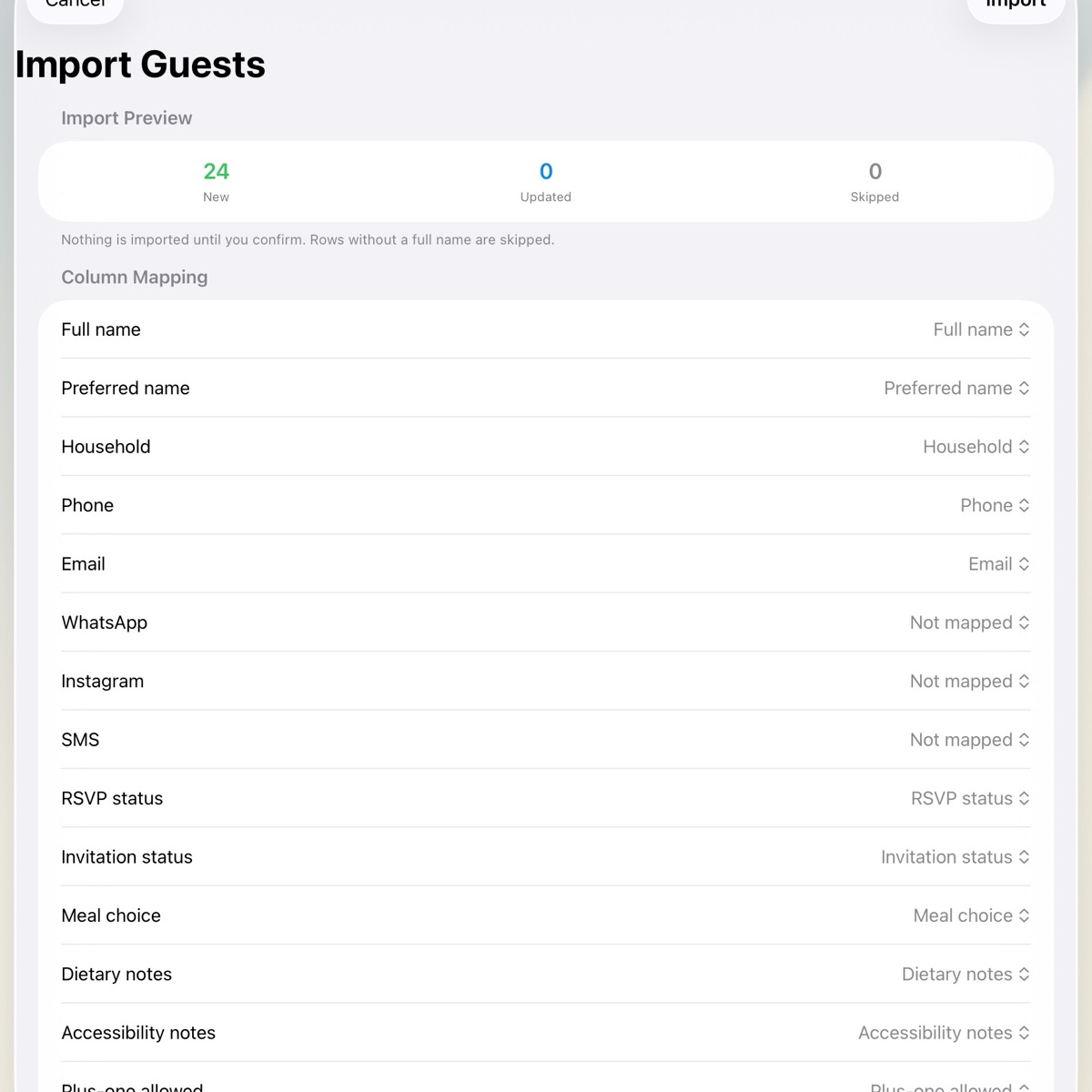
Import the CSV you already use. Wendus maps its columns, previews the result, and groups guests by household.
RSVP tracking
RSVP changes, reminders, replies, bounces, and notes stay in one local timeline. Pending households remain in the reminder queue until they answer.
Household grouping keeps related guest records together across invitations, passes, and seating while individual RSVP, meal, and arrival details remain separate.
Hebrew and Arabic guest names are covered by import, export, QR-pass, and venue-handoff tests.
The app stores the guest list encrypted on your device by default. It needs no Wendus account or developer-operated cloud database, and vendor exports share only the fields each recipient needs.
Practical guide
A clean source file makes the preview easier to trust and keeps later re-imports predictable.
Keep every guest on a separate row, then use a consistent household label to connect partners, parents, children, and plus-ones.
Use consistent RSVP and meal values instead of several spellings for the same answer. Keep a copy of the original sheet.
Check each custom column mapping and review new, updated, and skipped rows. The preview changes nothing until you approve it.
FAQ
Yes. Export your sheet as CSV. Wendus auto-matches familiar headers, lets you remap renamed columns, and previews new, updated, and skipped rows before anything changes. You can export the master list back to CSV at any time.
Free Core supports one main wedding event with up to 50 guests. One Wedding Pass removes Wendus's 50-guest cap for one wedding period.
No. Wendus works without sign-in, and guest data stays encrypted on your iPhone or iPad by default.
Closeout workflows let you archive the event encrypted, purge sensitive fields while keeping counts, keep aggregates only, or delete app-managed local event data. Copies you shared elsewhere remain under your control.