Save
Name the current seating plan before trying a different arrangement.
Seating chart
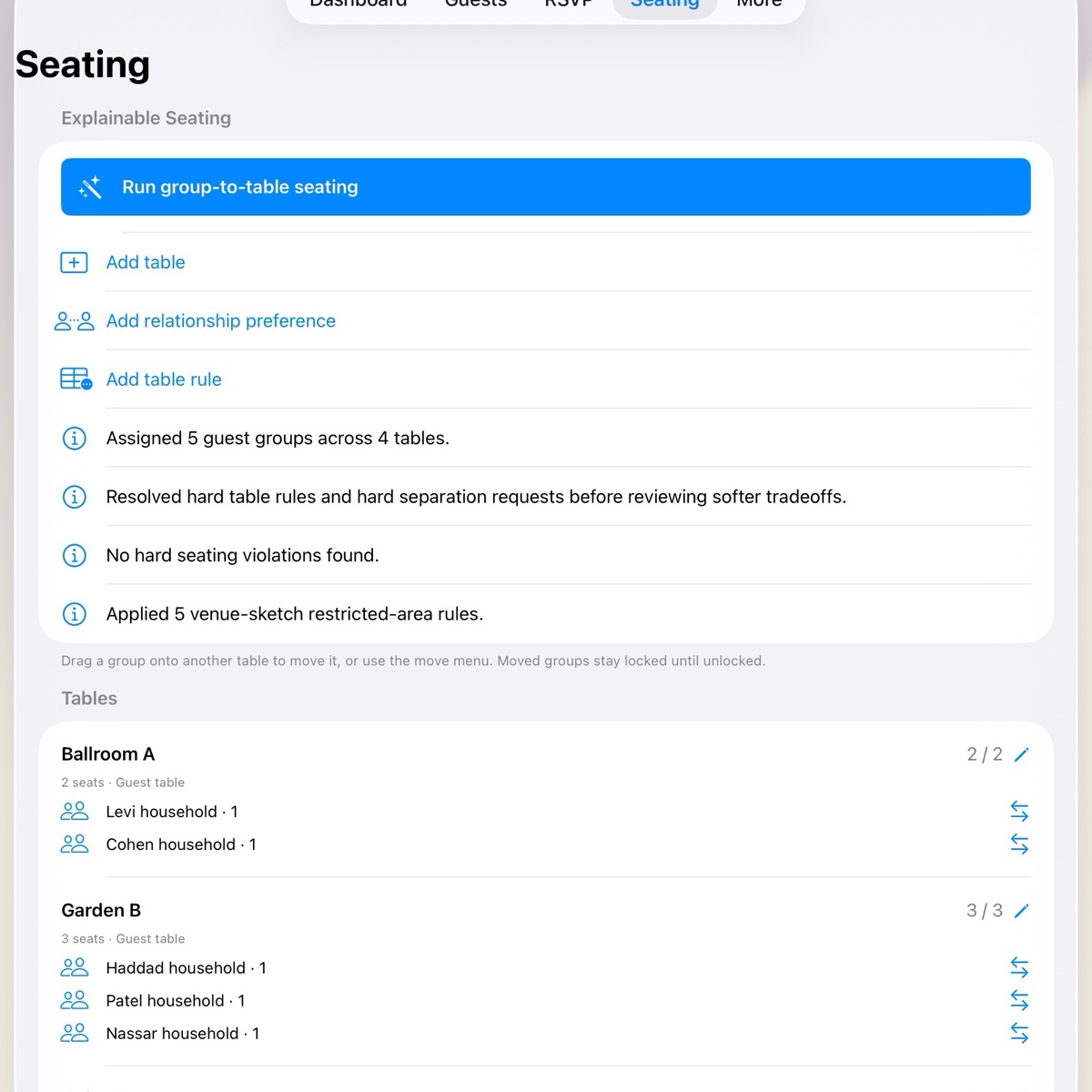
Start with table capacities and the relationships that matter: keep two families apart, seat friends together, or pin a household to a table. Wendus generates a plan you can adjust by hand.
Plan drafts
Drafts keep the assignments, warnings, and manual locks that shaped each version, so a new idea never has to erase the current plan.
Name the current seating plan before trying a different arrangement.
See which groups changed tables and compare hard and soft issue counts.
Bring back the draft and its manual locks when it is the better fit.
Venue-aware seating
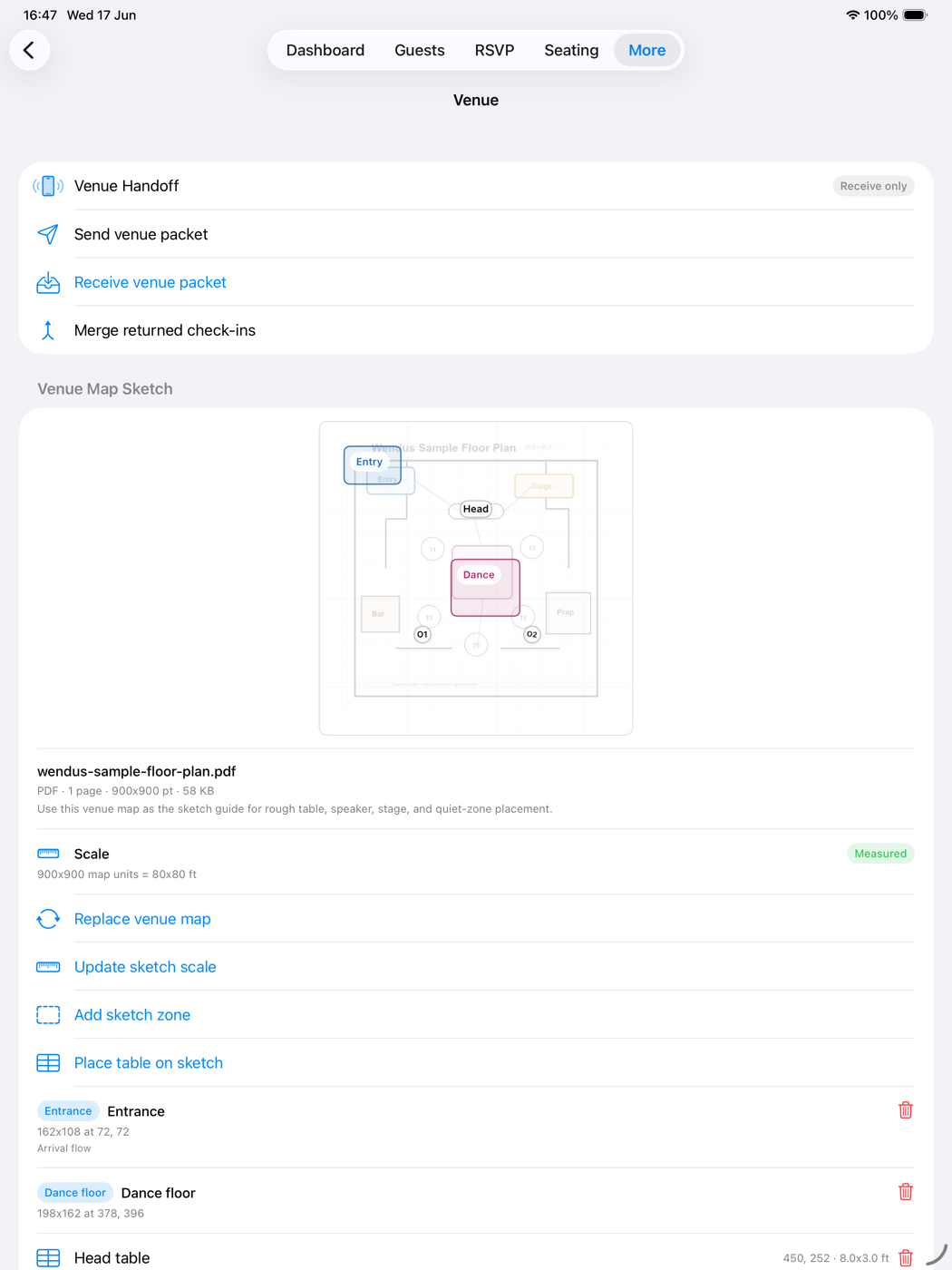
Import the PDF or image the venue sends, calibrate it to feet or meters, and place measured tables and zones. When a table falls inside a restricted zone — a speaker stack, a service corridor — Wendus creates a hard cannot-sit rule for that table.
Practical guide
Enter the hard rules and soft preferences that describe the real room, then review the issues Wendus reports.
Confirm who is attending and enter real table sizes before adding relationship rules.
Use hard rules for safety, accessibility, or true separation requirements. Keep social wishes as preferences.
Read every issue and save the first workable draft before moving groups or trying another arrangement.
FAQ
Wendus uses a deterministic heuristic to generate a group-to-table plan from your tables, capacities, and rules, then lists hard violations, soft tradeoffs, and under-filled tables for review instead of hiding them.
Yes. Mark pairs as must separate, prefer separate, or prefer together, and pin households to tables with must-sit and cannot-sit rules. Hard rules always take priority.
No. Seating works from the guest list, tables, and rules alone. If a table is placed inside a restricted zone on a venue sketch, Wendus creates a hard cannot-sit rule for that table.
Drag the group onto a table or use the move menu. It locks there and the plan recomputes, so any rule the move breaks appears immediately. Unlock it whenever plans change.
Yes. Save up to ten named drafts, compare changed group-to-table assignments and issue counts against the current plan, then restore the draft you want.